AI has been “coming to PPC” for years, but what’s changed recently is the speed and convenience with which teams can generate ads, restructure accounts, and create endless recommendations. The danger is obvious: when changes become easy, people make too many of them — and Google Ads is not a playground. If you let automation freewheel, you can burn budget, damage lead quality, and lose the learning you spent months building.
This article is a practical guide for UK businesses and marketing teams who want to use AI to manage Google Ads better: faster analysis, cleaner workflows, and more consistent optimisation — without handing the steering wheel to a black box. We’ll cover the safest use cases, where AI helps most, and a simple governance model so you can scale responsibly.
Start with a simple principle: AI should increase judgement, not replace it
The best way to think about AI in Google Ads is as a competent assistant. It can read large amounts of information quickly, propose options, and draft assets. It should not be trusted to make irreversible decisions without guardrails.
For most accounts, “AI-managed Google Ads” works best when you set boundaries like:
- AI can analyse search terms, placements, performance swings, and landing page relevance.
- AI can propose negatives, bid strategy tests, budget reallocations, and creative variants.
- Humans approve anything that changes spend, targeting, conversion actions, or compliance-sensitive messaging.
That boundary alone prevents the majority of costly mistakes, while still getting the efficiency benefits.
Where AI delivers the biggest wins in Google Ads management
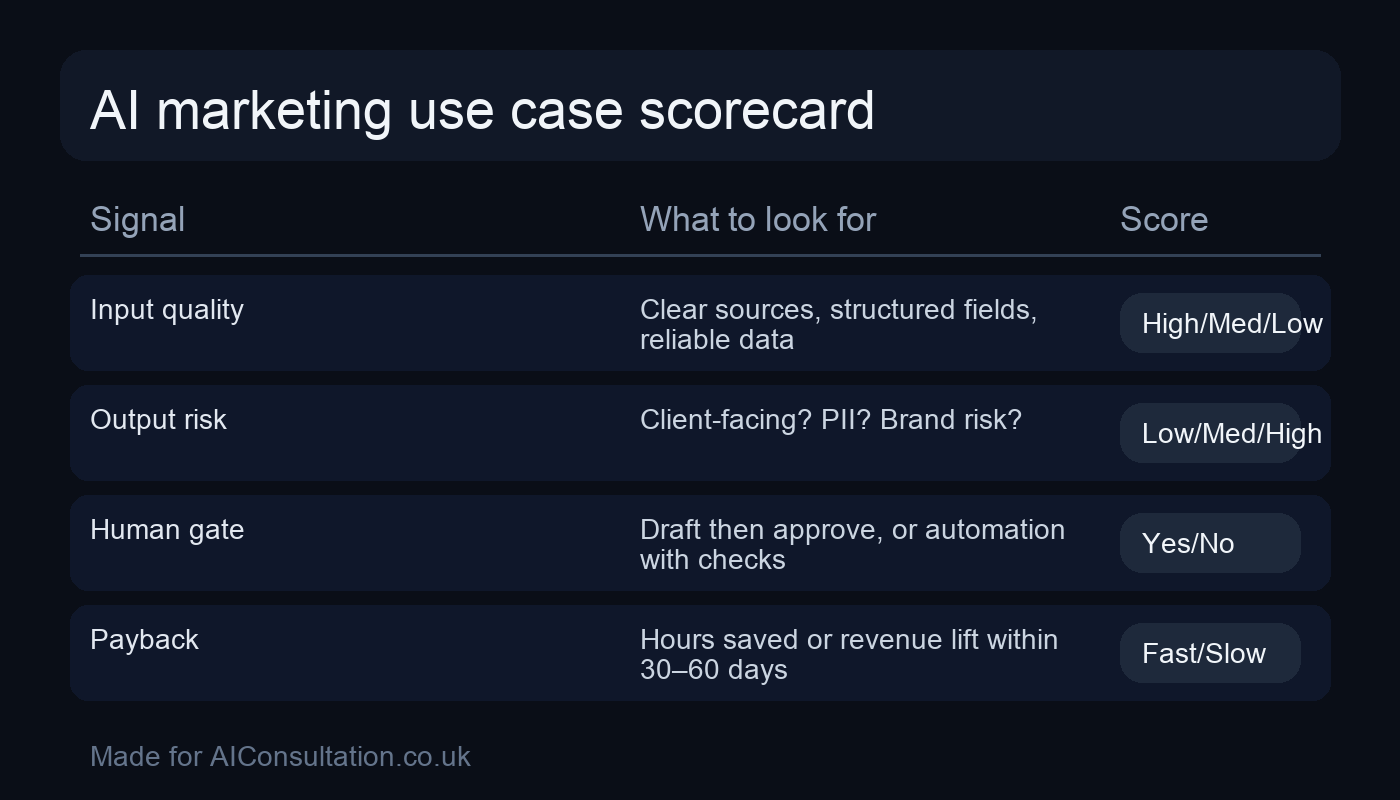
AI is not equally useful everywhere. The best PPC use cases share three traits: they’re repetitive, they have clear success criteria, and you can validate outputs quickly. Here are the areas that typically produce the strongest ROI.
1) Search term triage and negative keyword discovery
Most wasted spend in search comes from query mismatch. Humans can spot patterns, but it’s time-consuming to read thousands of terms across campaigns, match types and locations. AI shines at clustering.
What AI can do well:
- Group search terms into themes (e.g., “jobs”, “free”, “DIY”, “training”, “competitor brand”).
- Flag likely irrelevant intent themes for review.
- Draft negative keyword lists with suggested match types.
Human check: confirm that “irrelevant” themes don’t include legitimate high-value queries (common in B2B where wording varies). Then add negatives in a controlled batch.
How to measure: reduce wasted spend, improve conversion rate, and improve lead quality (not just CPA).
2) Weekly performance narratives (the report people actually read)
Dashboards rarely change decisions. A short narrative does: what changed, why it likely changed, and what to do next. AI can assemble a consistent weekly note from your account data, reducing reporting time and making sure issues don’t get missed.
What AI can do well:
- Summarise the 3–5 biggest movements (spend, conversions, CPA/ROAS, impression share).
- Detect anomalies worth attention (e.g., brand CPC up 18% with flat conversion rate).
- Propose next actions (e.g., review search terms, check landing page speed, validate tracking).
Human check: verify tracking is intact and sanity-check the “why”. AI is great at plausible hypotheses; you still need the final call.
3) Creative iteration with guardrails (RSAs, asset groups, extensions)
AI is excellent at producing variations, but it will happily invent claims, over-promise, or drift off brand. The fix is to supply constraints and a claims policy.
What AI can do well:
- Generate RSA headline/description variants from a single proposition.
- Create structured tests: 1 variable changed at a time.
- Draft sitelink/callout extension ideas tied to genuine service benefits.
Human check: validate every claim, pricing mention, and compliance-sensitive statement. In regulated industries, keep a mandatory approval workflow.
4) Landing page relevance checks and messaging alignment
Many PPC problems aren’t bidding problems; they’re relevance problems. AI can review your ads/keywords alongside landing pages and spot mismatches quickly: the offer isn’t obvious, the page buries the value proposition, or the CTA doesn’t match the query intent.
What AI can do well:
- Identify missing information for high-intent queries (pricing ranges, timelines, guarantees you can actually honour).
- Suggest above-the-fold copy improvements for clarity and intent match.
- Recommend internal links that support the user journey (without distracting from conversion).
If you want to connect PPC insights into a broader measurement and growth plan, start with an AI audit to assess your data readiness and identify the quickest improvements.
5) Budget and bidding experiments (as a controlled test plan)
AI can help you design experiments, but “letting AI manage budgets” without a plan is how spend creeps into the wrong places. The best approach is to use AI to propose test structures, then you choose what to run.
What AI can do well:
- Propose a structured experiment backlog: bidding strategy tests, location splits, audience layering, match type changes.
- Estimate what needs to be held constant so you can interpret results.
- Draft guardrails (max daily budget, max CPA, minimum conversion volume before decisions).
Human check: confirm conversion tracking and attribution settings before any meaningful test. If the measurement is wrong, you’ll optimise in the wrong direction with confidence.
Costs, timelines, and what to expect
One reason AI projects in PPC go sideways is mismatched expectations. Teams assume they’ll see an immediate CPA improvement and forget that what you’re really buying is a better operating system: faster diagnosis, cleaner iteration, and fewer unforced errors.
| Workstream | What you implement | Typical timeline | Best early metric |
|---|---|---|---|
| Query control | Clustering + negative suggestions + change log | 3–10 days | Reduced irrelevant spend / improved CVR |
| Reporting | Weekly narrative + anomaly flags + action backlog | 2–7 days | Time saved + faster decisions |
| Creative iteration | Claim-safe variant generation + test matrices | 1–2 weeks | More tests launched; stable CTR/CVR lift |
| Landing page alignment | Intent checks + above-the-fold fixes + QA checklist | 1–3 weeks | Improved conversion rate; reduced bounce |
Costs vary by complexity, but the most reliable starting point is a small pilot. You’re looking for evidence you can trust, not a sprawling rebuild. If you’re a smaller team, this approach is especially useful because it improves output without requiring a new headcount — which is why it fits well for AI for small businesses programmes.
Build vs buy: how to implement AI in PPC without buying another headache
Most businesses have three realistic options:
| Approach | Best when | Pros | Cons |
|---|---|---|---|
| Use platform AI (Google Ads features) | You need quick wins inside Google’s workflow | Fast to deploy; fewer integrations | Less control; harder to audit “why” |
| Buy a PPC tool | Your use case is common and the vendor is mature | Convenience; support included | Ongoing cost; feature bloat; data lock-in |
| Build a workflow | You want tailored rules, approvals, and reporting | High control; fits your governance | Needs ownership; requires maintenance |
“Build” doesn’t have to mean months of engineering. Often it’s a small layer that connects your ads data, analytics, and CRM insights into one weekly loop. If you need that kind of tailored integration, our AI development services can help you deliver it safely.
Common mistakes when using AI in Google Ads management
Most “AI for PPC” horror stories aren’t about the model being dumb — they’re about the workflow being uncontrolled. These are the mistakes we see most often when teams try to move quickly.
- Letting AI change too much at once: if you adjust match types, budgets, creatives and landing pages in the same week, you won’t know what caused the result. Limit changes and keep a small experiment backlog.
- Optimising to the wrong conversion: if your primary conversion is a low-quality lead (or the tracking is broken), AI will happily “improve” performance while sales complains. Validate lead quality signals early.
- Assuming recommendations are neutral: platform suggestions often push you toward broader reach. Sometimes that’s right; often it needs tighter controls. Treat recommendations as inputs, not instructions.
- Copy drift and compliance risk: AI will produce persuasive wording, but it may over-claim. Create a claims policy and a blacklist of phrases you won’t publish.
- No audit trail: if you can’t explain why a change happened, it’s hard to learn and hard to recover. Maintain a simple change log (what, why, when, expected impact).
Governance: the rules that keep AI from harming performance
When AI goes wrong in PPC, it usually fails in one of four ways:
- Over-change: too many edits too frequently, so performance never stabilises.
- Over-claim: ad copy drifts into untrue promises or compliance issues.
- Over-optimise: chasing a metric (CPA/ROAS) while lead quality quietly collapses.
- Over-trust: acting on recommendations without validating tracking or context.
A simple governance model prevents most of this. Here’s a workable baseline for UK businesses:
| Area | AI allowed to do | Requires human approval | Logging |
|---|---|---|---|
| Search terms | Cluster + suggest negatives | Apply negatives | Keep a changelog of negatives added |
| Creative | Draft variants within claims policy | Publish ads/assets | Store versioned prompts + approved claims |
| Bidding/budgets | Propose test plan + guardrails | Enable/disable strategies; budget changes | Record hypothesis + dates + outcomes |
| Reporting | Generate weekly narrative + flags | Executive decisions based on it | Archive weekly summaries for audit |
If you’re in a regulated sector or you handle sensitive data, it’s sensible to formalise this with an AI policy and data protection thinking. That’s where our AI compliance support fits.
A 14-day plan to start using AI in Google Ads management
The fastest route is a short pilot that produces evidence. Here’s a realistic two-week plan that doesn’t disrupt everything:
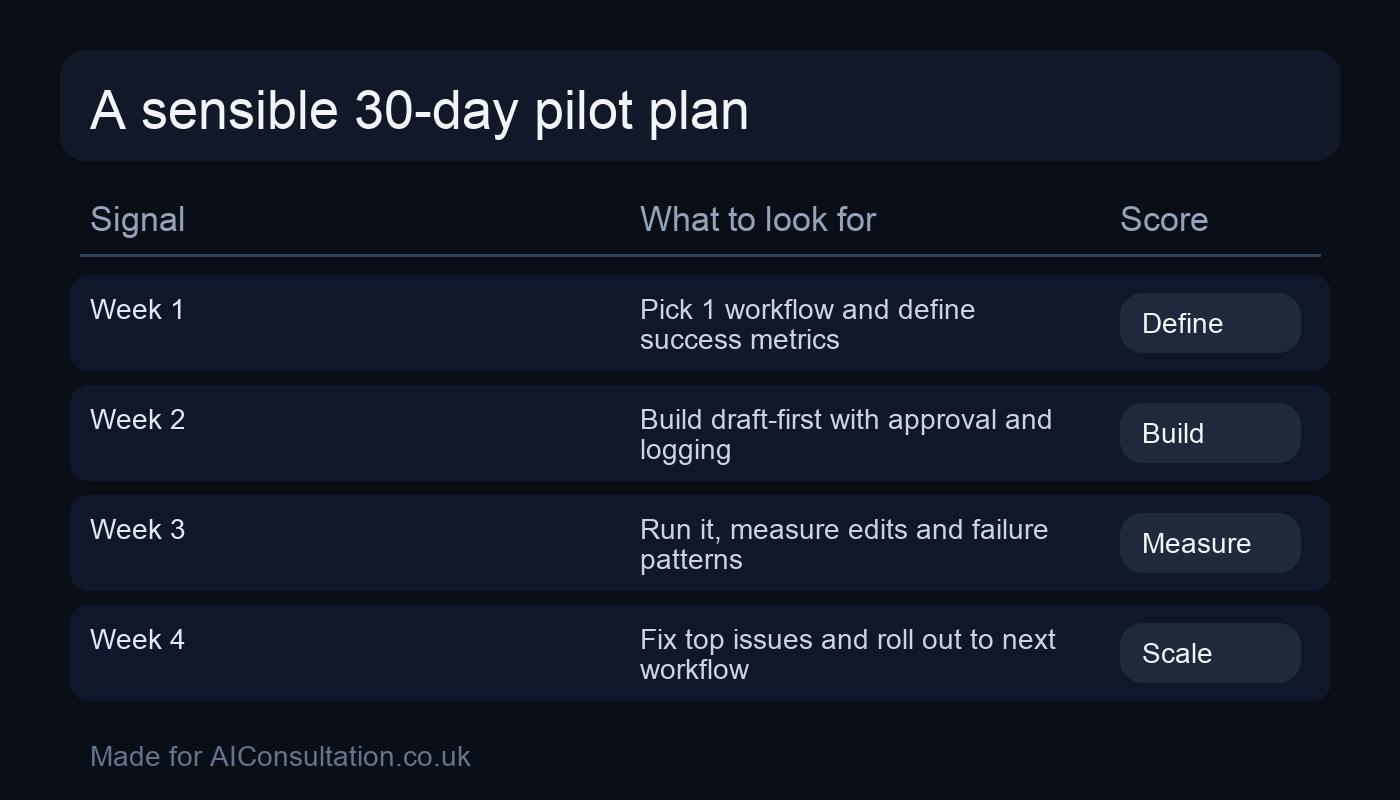
Days 1–2: pick the thin slice
- Choose one workflow: search term triage, weekly reporting, or creative iteration.
- Define your KPI (time saved, CPA, lead quality metric).
- Define boundaries (AI suggests; humans approve).
Days 3–7: run in parallel
- Have AI produce outputs but don’t apply changes automatically.
- Review output quality and refine the rules/prompt.
- Track time saved and early performance indicators.
Days 8–14: implement controlled changes
- Apply the best negatives in a batch.
- Launch one clearly defined ad test.
- Publish a weekly narrative report and act on 1–2 items only.
At the end of two weeks, decide: does this reduce workload, improve performance, or increase consistency? If yes, scale carefully. If not, the use case may be wrong, the data may be weak, or the measurement may be off — and you fix that before expanding.
FAQs — AI for Google Ads management
Can AI manage Google Ads on its own?
It can assist heavily, but “fully autonomous” management is risky for most businesses. The safest model is AI for analysis and drafting, with human approval for spend, targeting, and claims.
Will AI lower my CPA?
Sometimes — but the bigger win is usually consistency and speed. Many accounts improve because you catch problems earlier, test creative more systematically, and reduce wasted spend with better query control.
What’s the biggest mistake teams make?
Chasing recommendations without validating tracking and lead quality. AI is only as good as the measurement it’s optimising against.
Do I need a big budget to use AI in PPC?
No. The best first use cases are operational: search term triage, reporting, and QA. They save time regardless of spend level.
Can you implement this for us?
Yes. Start with our AI services to pick the right pilot, then we can build a reliable workflow (often with custom integration) that fits how your team works. If you want to discuss it, get in touch.
Final checks
- Title has no year and no colon.
- Two images embedded with clear placement.
- Internal links included (at least 2).
- Exactly one external link included.
- Word count meets the minimum.